Is my AI agent stuck retrying?
ACTVT watches the tool calls in each live agent session. If one tool fails at least 5 times within 10 minutes, and most of that tool’s calls are failing, it sends a notification like “A tool keeps failing in <session>” or “Bash keeps failing”. You get it once per tool per run. Open the session to see each failed call, then decide whether to stop it, fix whatever it depends on, or change what you asked it to do. ACTVT only counts failures. It can’t tell whether the agent is getting anywhere. Repeated tool failures is on by default (Settings → Notifications).
0:384 chapters
Step by step
0:00You ask
I ask my agent to upload a file. The server can be flaky, so I tell it to “try again until it goes through”.
0:06It keeps trying
But the server is actually down, so every upload fails and it just keeps trying.
0:14ACTVT tells you
ACTVT lets me know that the same tool has failed 5 times within 10 minutes.
0:22See what happened
When I open the session, there’s my instruction and then one attempt after another. So far that’s 11 failed calls and $0.06 at API rates. It isn’t going to stop on its own, so I can stop it, fix the server, or change the instruction. This notification is on by default.
More tutorials
All tutorials →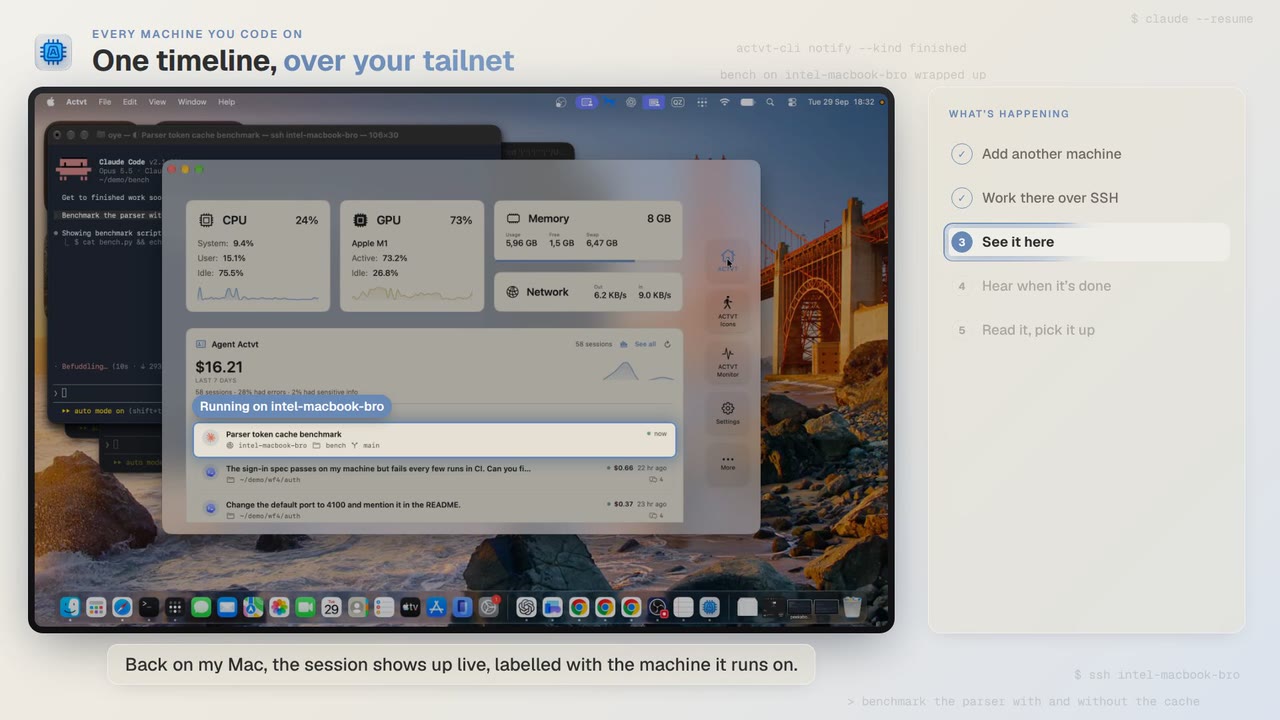 1:24
1:24Every machine you code on
See agent sessions from all your machines over SSH
Start Claude Code on another Mac over SSH, and you can follow the session from your own Mac while it runs and read the whole transcript when it’s done.
 3:42
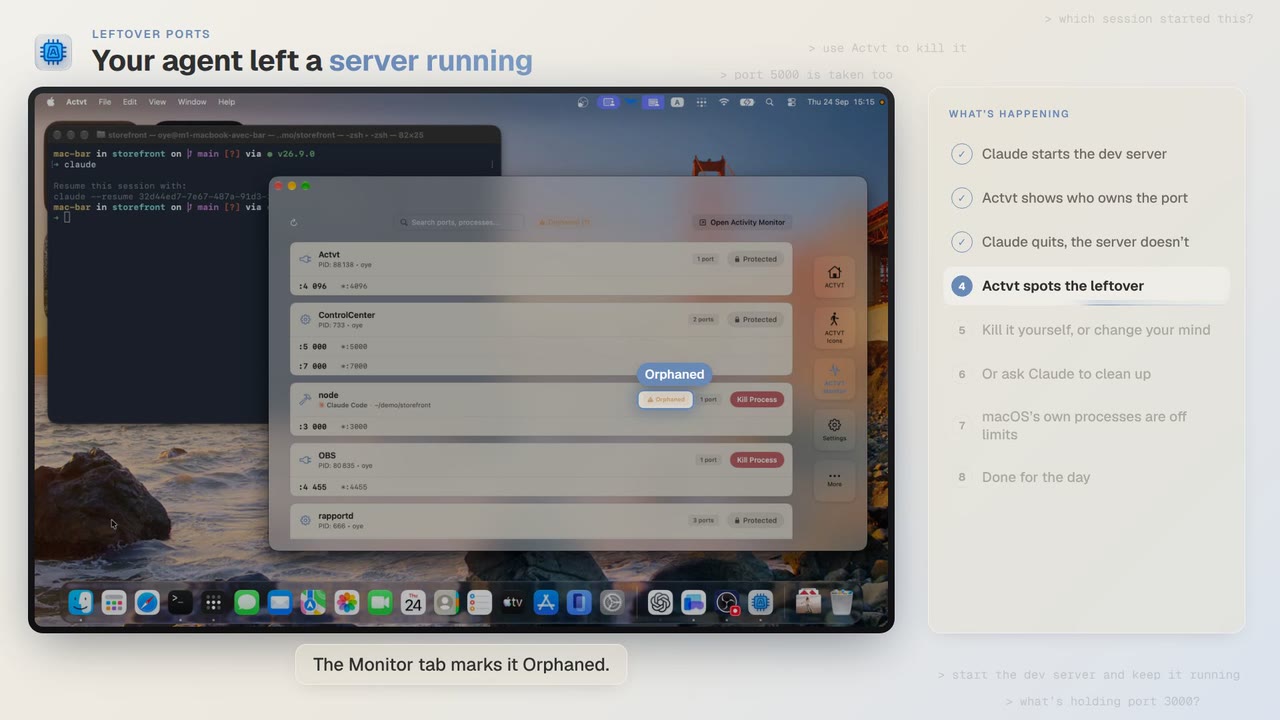
3:42Leftover ports
Find and kill the dev server your AI agent left running
Claude Code starts a dev server and then quits, and port 3000 stays taken. ACTVT shows you the server whose session is gone and lets you free the port safely.
 0:48
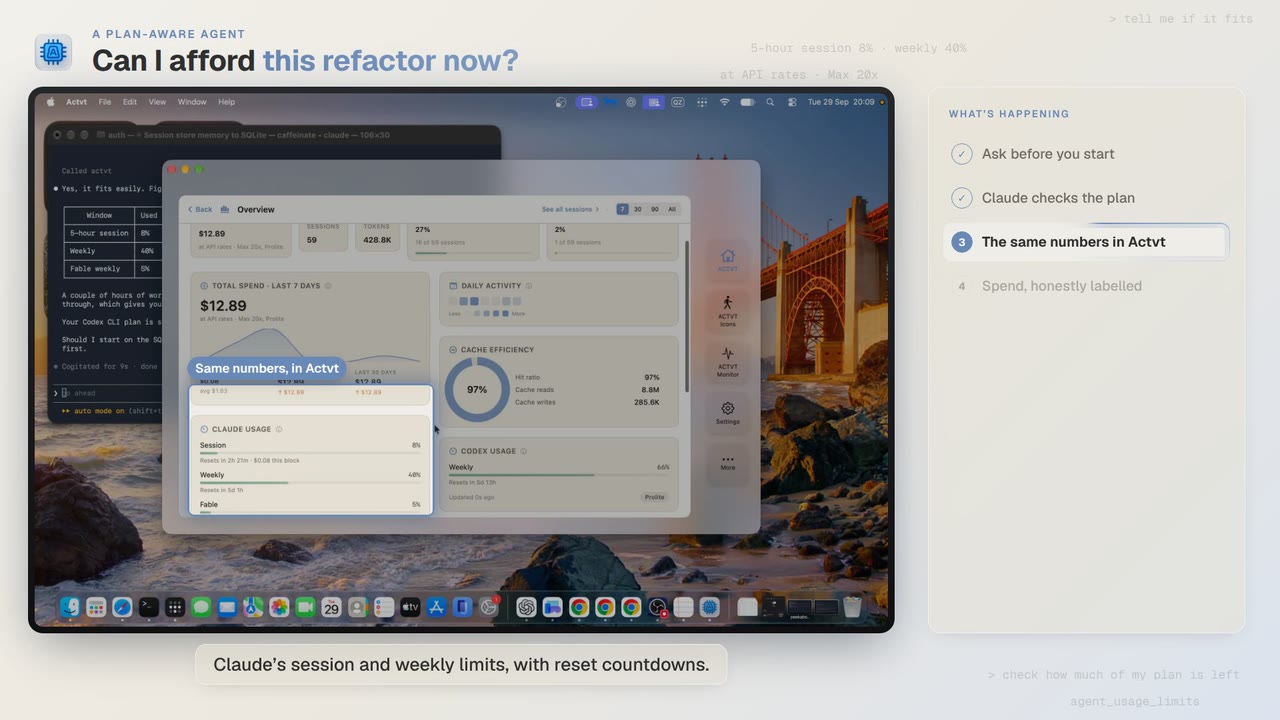
0:48A plan-aware agent
Check how much of your plan is left before a long agent job
Before a two-hour job, Claude Code asks ACTVT how much of your plan is left. You can see the same limits in ACTVT, along with when each one resets.
Try it on your own agents
ACTVT is free to start, and reads the session files Claude Code, Codex CLI and Pi already write. Nothing to configure.