Find one moment in a long AI agent session
Open the session in ACTVT and press ⌘F (or click the magnifier) to find text in that session’s transcript. Matches are highlighted, the bar shows how many there are ("1 of 3"), and ⌘G and ⇧⌘G step to the next and previous one. The Outline button lists every turn of the session on one line, as the agent’s words or the name of the tool it used, with the time; click a turn to jump to it, and the header shows which turn you are on. Find works inside one session; to find a session across your history, use search in All Sessions. The session browser is part of the Premium tier.
0:434 chapters
Step by step
0:00Open the session
Today’s agent sessions. One of them worked through a list of eight tasks: 40 turns. Somewhere in there it changed the retry policy. Why?
0:12Find one word
Remember one word? ⌘F finds it in this session. It lands on what the agent changed, and why, in its own words.
0:23Step through matches
⌘G steps through the other matches. Here, the agent’s summary at the end.
0:27Jump with the Outline
Or open the Outline: every turn of the session, one line each. Scroll to the turn you want and click it to jump there. The header now reads turn 25 of 40.
More tutorials
All tutorials →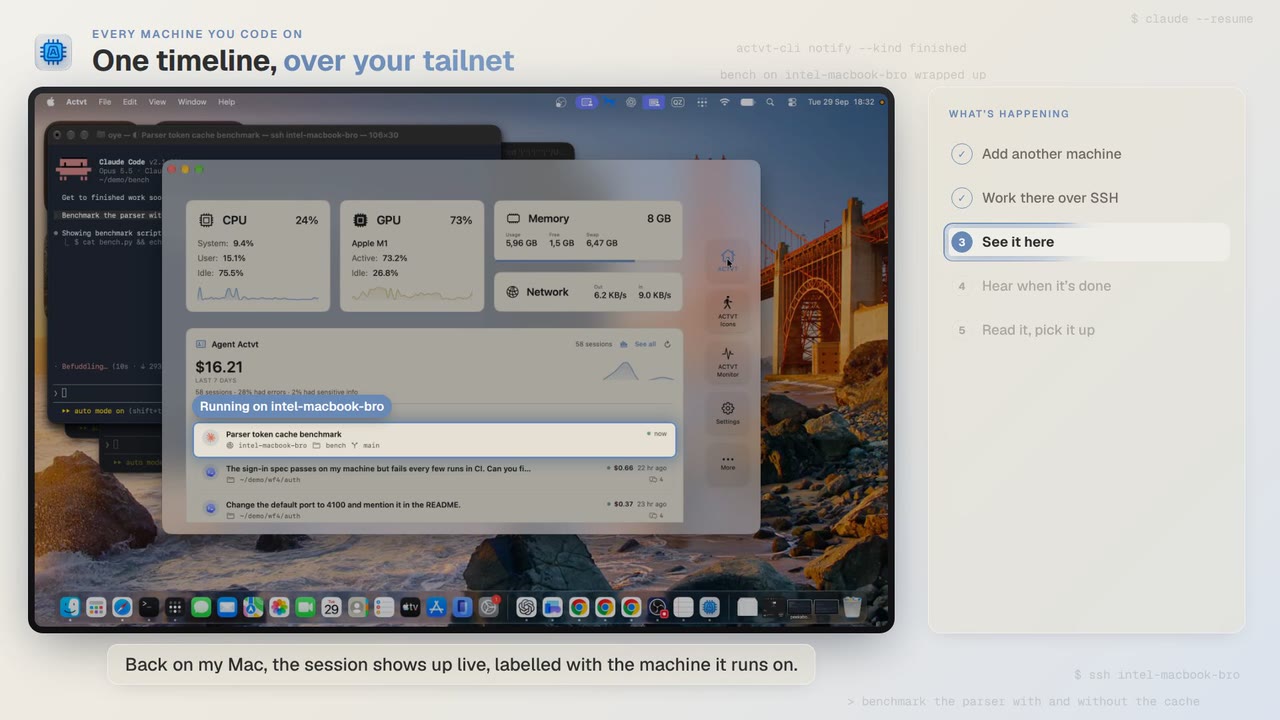 1:24
1:24Every machine you code on
See agent sessions from all your machines over SSH
Start Claude Code on another Mac over SSH, and you can follow the session from your own Mac while it runs and read the whole transcript when it’s done.
 3:42
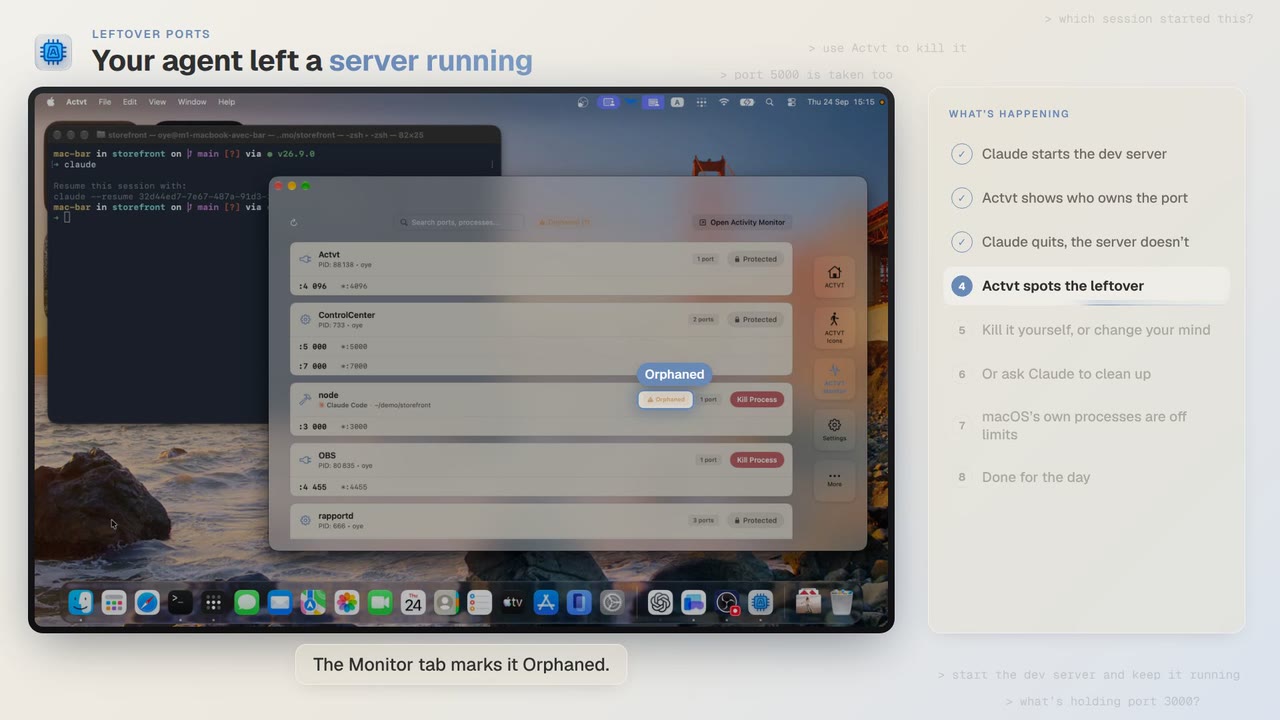
3:42Leftover ports
Find and kill the dev server your AI agent left running
Claude Code starts a dev server and then quits, and port 3000 stays taken. ACTVT shows you the server whose session is gone and lets you free the port safely.
 0:48
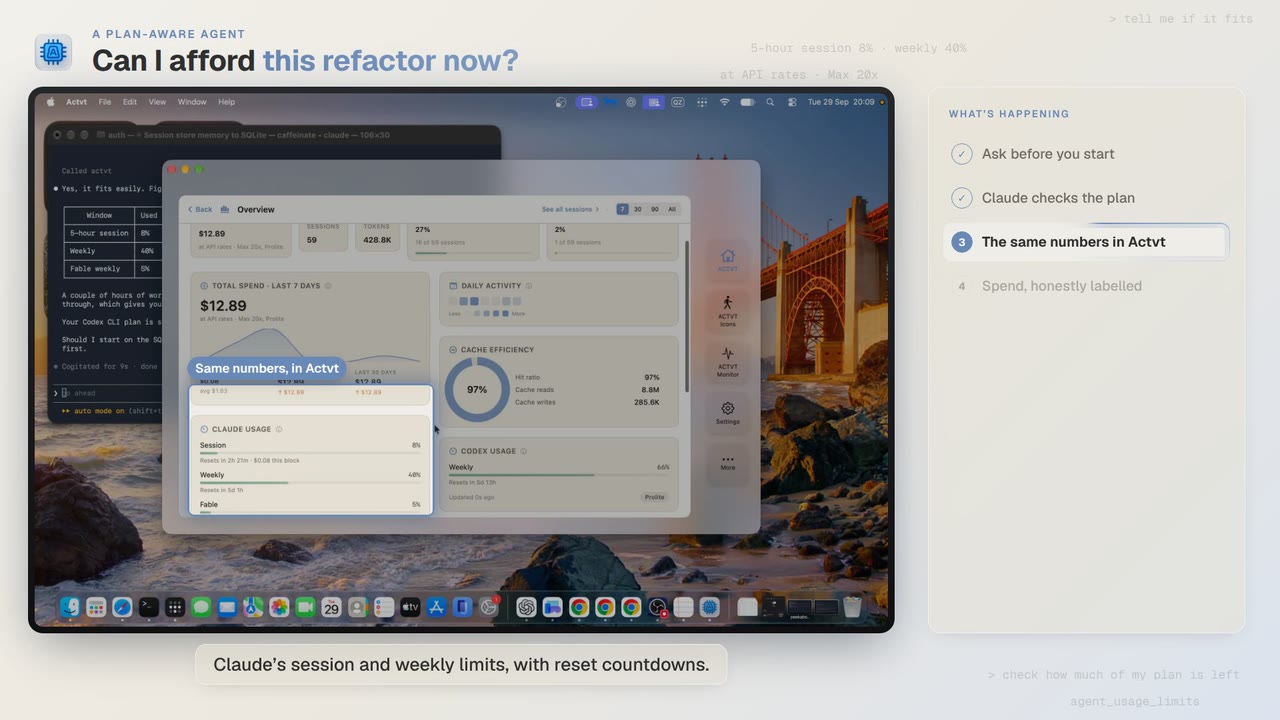
0:48A plan-aware agent
Check how much of your plan is left before a long agent job
Before a two-hour job, Claude Code asks ACTVT how much of your plan is left. You can see the same limits in ACTVT, along with when each one resets.
Try it on your own agents
ACTVT is free to start, and reads the session files Claude Code, Codex CLI and Pi already write. Nothing to configure.